
Ask five IT managers this question, and you’ll get five different answers, most of them shaped by whatever burned them last. Someone who got hammered by a slow perimeter appliance during a traffic spike will swear by software. Someone who watched a laptop get compromised on hotel Wi-Fi will swear by hardware. Both are right, in their own narrow way, and both are missing half the picture.
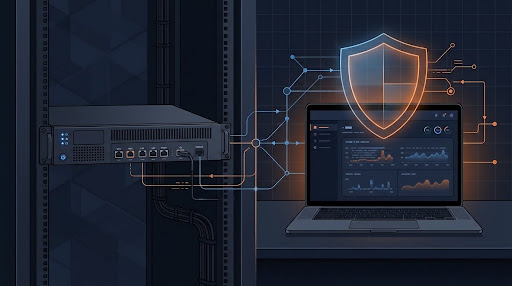
An enterprise firewall appliance is a physical device sitting at the edge of your network, checking traffic before it gets anywhere near a server or a workstation. A software firewall does roughly the same job, minus the dedicated hardware; it runs as an application on the machine it’s protecting, whether that’s a laptop, a VM, or a server tucked in a rack somewhere. Same mission. Very different way of getting there.
The Actual Difference, Without the Marketing Spin
A hardware firewall is basically a box built for one job and nothing else. It’s got its own processor, its own memory, its own network interfaces, and none of that gets shared with anything. Cisco’s Firepower line, Fortinet’s FortiGate, Palo Alto’s PA series- these names come up constantly in enterprise conversations because they were designed from the ground up to inspect packets and not much else.
Software firewalls are a different beast. Windows Defender Firewall, iptables on a Linux box, third-party tools like ZoneAlarm- they live inside whatever operating system they’re protecting. Five hundred laptops means five hundred separate firewall instances, technically speaking, unless someone’s managing them from a central console. Not a flaw exactly, just how the model works.
The difference between hardware and software firewall setups isn’t about which one is smarter. It’s about where the work actually happens. A hardware box protects the network using resources nothing else touches. A software firewall protects one machine using CPU and memory that machine also needs for its actual job, running an app, serving a database, whatever it’s there to do.
Throughput and Latency, Where the Rubber Meets the Road
This is the part that actually shows up in a performance graph. Firewall throughput and latency numbers on dedicated appliances typically land in the multiple-gigabit range, and the higher-end boxes go well beyond that. The reason is boring but important: specialized chips, ASICs or FPGAs, handle the packet inspection and encryption without fighting anything else for cycles.
Software firewalls don’t get that luxury. They’re sharing the same CPU as everything else on the box. A workstation doing email and web browsing won’t notice a thing. Put that same firewall software on a server juggling a few thousand connections at once, and things get ugly fast. I’ve seen a perfectly capable server crawl not because it lacked horsepower, but because the firewall process and the database engine were fighting over the same cores.
To be fair, that gap has narrowed. Modern software firewalls increasingly lean on hardware offloading, which takes some of the sting out. It’s not the blowout it was a decade back. For anything pushing real traffic volume, though, dedicated hardware still tends to come out ahead.
Perimeter Security Isn’t What It Used to Be
Network perimeter security is the classic job for a hardware firewall, and it still handles that job well. One solid appliance at the gateway can cover most of the external threat surface for a business running out of a single office with a predictable set of servers.
Here’s the problem: “perimeter” stopped meaning much the day remote work went mainstream. An employee logged in from home, a contractor on hotel Wi-Fi, a laptop hitting a SaaS platform directly without ever touching the corporate network- none of that traffic goes anywhere near your edge box. This is exactly the hole software firewalls and endpoint tools were built to plug, since they move with the device instead of sitting bolted to one location.
Endpoint Protection and Network-Level Protection Aren’t Rivals
People sometimes talk about this like it’s a fight. It isn’t. Network-level protection stops threats before they ever reach internal systems, filtering by IP, port, and protocol across the whole network at once. Endpoint protection assumes something’s eventually going to get through anyway, because it usually does, and puts a second layer of defense directly on the device.
A hospital makes this easy to picture. The perimeter appliance blocks most of the bad traffic before it’s anywhere near internal systems. But a nurse’s tablet on guest Wi-Fi, or a doctor’s laptop synced to a personal email account after hours, needs coverage of its own. Depend on the edge alone, and those devices are exposed the moment they step outside its reach.
Managing This at Any Real Scale
A handful of firewalls, you can manage by hand without much pain. Get into dozens or hundreds of software instances spread across a distributed workforce, and centralized firewall management stops being optional. Without it, someone’s updating rules machine by machine, and auditing that for compliance turns into a job nobody signed up for.
Enterprise appliances usually ship with a centralized dashboard out of the box; FortiManager and Panorama are the two names that come up most, letting an admin push policy across dozens of devices and pull compliance reports from one place. Software vendors have closed some of that gap too, with Group Policy and various EDR platforms offering comparable control over host-based firewalls now.
Bottom line: management overhead matters just as much as raw speed. The most powerful appliance on the market isn’t protecting anything if nobody has the time to configure it right.
Firewall Appliance vs. Firewall Software, Side by Side
| Factor | Hardware Firewall Appliance | Software Firewall |
| Deployment | Physical device at the network edge | Installed on servers, endpoints, or VMs |
| Performance | Dedicated processor, higher sustained throughput | Shares CPU and RAM with the host device |
| Cost structure | Higher upfront cost, longer hardware lifecycle | Lower entry cost, often subscription-based |
| Scalability | Needs more units as the network grows | Scales per device, fits distributed teams better |
| Best suited for | Data centers, branch offices, network edges | Individual devices, remote workers, cloud instances |
| Management | Centralized console for multiple devices | Depends on setup, often needs EDR or MDM |
| Maintenance | Firmware updates, periodic hardware refresh | Software patches tied to the OS |
Nobody wins that table outright. Most enterprise security teams in the US run both anyway, letting the appliance handle the gatekeeping and the software layer catch whatever wanders outside the traditional network boundary.
What Companies Actually Do, in Practice
For businesses sorting through enterprise firewall solutions, it rarely comes down to picking a single winner. A manufacturing plant with a fixed address and predictable traffic usually leans on a hardware appliance, adding lightweight endpoint software for the few laptops that leave the building. A distributed SaaS company with people scattered across a dozen states looks nothing like that, with heavier investment in cloud-based and software-defined firewalls, mostly because there’s no single physical perimeter left to guard.
Budget shapes more of this decision than people admit out loud. A decent hardware appliance from Cisco or Juniper runs anywhere from a couple thousand dollars for small-business models to well into six figures for carrier-grade gear, and that’s before licensing and support. Software firewalls, especially open-source or built-in OS options, cost less to acquire but eat more of your IT team’s time keeping everything current across a large fleet.
So Which One Should You Actually Buy
If you wanted a clean winner, sorry, there isn’t one. Hardware handles high-throughput perimeter defense with lower latency than software will ever manage. Software handles flexibility, mobile devices, and remote work in ways a box sitting in a server closet just can’t. Neither replaces the other, and anyone pitching their product as the only thing you’ll ever need is leaving out half the story on purpose.
A small business with one office and a tight budget can probably get by fine on a decent hardware appliance plus the built-in software firewalls already sitting on every Windows and Mac machine in the building. A larger organization with cloud workloads, remote staff, and compliance obligations almost always needs both, tied together through centralized management someone actually has time to watch.
The real question was never which one to buy. It’s how to stack them so the weak spot in one gets covered by whatever the other does well.